
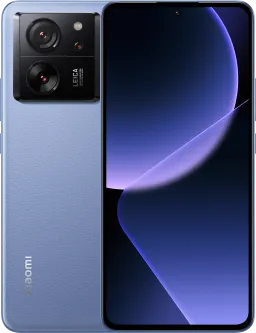
Xiaomi 13T OS2.0.203.0.VMFMIXM Global OS2.0.203.0.VMFMIXM (Specified)
Official Xiaomi 13T HyperOS releases.
Xiaomi 13T Details
CPU
Dimensity 8200 Ultra
Update Version
OS2.0.203.0.VMFMIXM
Android Version
15
OS Version
HyperOS 2.0
Display Size
6.67"
EOL Status
2028-10-04
Installation Guide
To install this update, download the Recovery ROM from the above-provided link. After downloading, open the Updater Application on your Xiaomi 13T.
Read MoreComplete Installation Instructions
- Download the Recovery ROM from the above-provided link.
- Open the Updater Application on your Xiaomi 13T.
- Tap the three dots at the top-right corner and select 'Choose update package.'
- Go to the folder where you downloaded your ROM file and select it.
- It will start updating automatically; once it is done, your device will reboot into the new version.
Note:Some updates may not installed because they are released as beta versions.
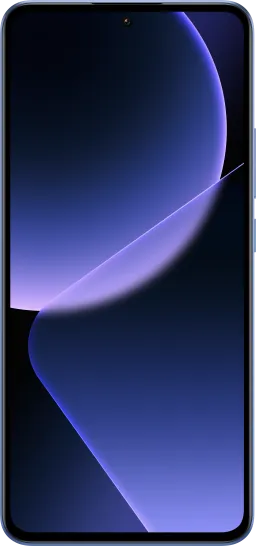
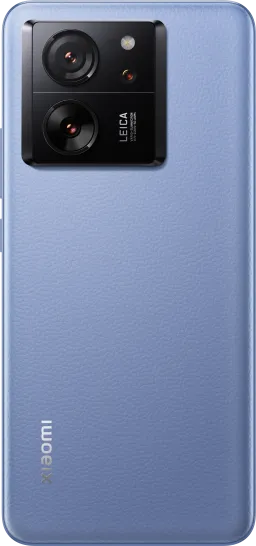
Device Photos
Changelog
See what's new in this version including bug fixes, improvements and new features...
Read MoreComplete Changelog
- System animations:
- Optimization: Interrupt animation when entering subpages within apps
- Optimization: Interrupt animation during app transitions
- Optimization: Interrupt animation when closing apps in Landscape mode
- System:
- New: Home screen wallpaper now supports a blur effect
- Optimization: Stability of animations when opening and closing apps
- Optimization: Immersive effect for full screen indicator in certain scenarios
- Optimization: Updated styles for some classic pages
- Optimization: Animation effects when launching apps
- Optimization: Scrolling performance on content feeds in some third party apps
- Fix: Gestures didn't work properly in certain scenarios
- Fix: Wallpapers disappeared in rare cases when opening or closing apps
- Fix: Occasional display glitches when opening or closing apps
- Fix: Issues with animations when opening or closing apps
- Lock screen:
- New: Customizable Lock screen shortcuts
- New: Lock screen wallpapers now support lens effect
- Camera:
- All-new design
- Brand-new visual language: A more professional visual style provides a deeper sense of immersion while shooting.
- · Structure optimization: We streamlined the feature menus and optimized the settings page.
- Pro mode upgrade: Adjusted the interface layout and combined parameter options to reduce preview obstruction and help you focus on your creative process.
- · Director mode optimization: Professional video recording and multicam setup support simultaneous shooting from different angles.
- Enhanced watermark features:
- · Film frame watermark now supports black or white backgrounds and appears during dynamic shot playback.
- · The standard watermark supports custom positioning.
- Expanded personalization settings: Added support for multiple camera interface color schemes.
- Settings:
- Optimization: Added a shortcut to system navigation settings in Home screen settings
- Status bar, Notification shade:
- New: Some status bar icons now support custom display
- Accessibility:
- Fix: Touch gestures stopped working in TalkBack mode
- Fix: Volume buttons didn't work in TalkBack mode
- Fix: Issues that prevented Recorder from capturing TalkBack audio
- Fix: Issues with announcements for unselected items in Calendar and other apps
- Fix: Some buttons weren't announced in several apps, including Settings, Control center, Messaging, Contacts, Weather, Notes, and Browser
Downloads
OS2.0.203.0.VMFMIXM
15.0
Recovery
5.5G
2026-04-05 08:51:34
OS2.0.203.0.VMFMIXM
15
Fastboot