

POCO C85 4G / REDMI 15C 4G HyperOS ROMs OS3.0.1.0.WBNMIXM (Latest)
Official POCO C85 4G / REDMI 15C 4G HyperOS releases.
POCO C85 4G / REDMI 15C 4G Details
CPU
Helio G81 Ultra
Latest Version
OS3.0.1.0.WBNMIXM
Android Version
16
OS Version
HyperOS 3.0
Display Size
6.9"
EOL Status
2031-08-28
Installation Guide
To install this update, download the Recovery ROM from the above-provided link. After downloading, open the Updater Application on your POCO C85 4G / REDMI 15C 4G.
Read MoreComplete Installation Instructions
- Download the Recovery ROM from the above-provided link.
- Open the Updater Application on your POCO C85 4G / REDMI 15C 4G.
- Tap the three dots at the top-right corner and select 'Choose update package.'
- Go to the folder where you downloaded your ROM file and select it.
- It will start updating automatically; once it is done, your device will reboot into the new version.
Note:Some updates may not installed because they are released as beta versions.
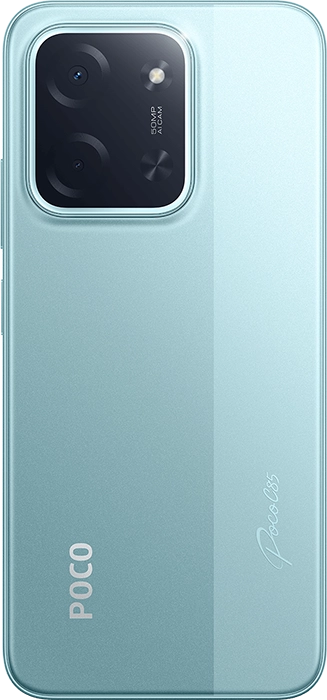
Device Photos

Regions
Latest
Global
EEA Global
Russia Global
Indonesia Global
Turkey Global
Taiwan Global
OS3.0.1.0.WBNMIXM
16 HyperOS 3.0 Global
OS2.0.216.0.VBNEUXM
15 HyperOS 2.0 EEA Global Fastboot
OS2.0.209.0.VBNRUXM
15 HyperOS 2.0 Russia Global Fastboot
OS2.0.208.0.VBNIDXM
15 HyperOS 2.0 Indonesia Global Fastboot
OS2.0.205.0.VBNTRXM
15 HyperOS 2.0 Turkey Global Fastboot
OS2.0.205.0.VBNTWXM
15 HyperOS 2.0 Taiwan Global Fastboot
