

Xiaomi Mi 8 V11.0.4.0.QEAMIXM Global V11.0.4.0.QEAMIXM (Specified)
Official Xiaomi Mi 8 HyperOS releases.
Xiaomi Mi 8 Details
CPU
Snapdragon 845
Update Version
V11.0.4.0.QEAMIXM
Android Version
10
OS Version
MIUI 11.0
Display Size
6.21"
EOL Status
1970-01-01
Installation Guide
To install this update, download the Recovery ROM from the above-provided link. After downloading, open the Updater Application on your Xiaomi Mi 8.
Read MoreComplete Installation Instructions
- Download the Recovery ROM from the above-provided link.
- Open the Updater Application on your Xiaomi Mi 8.
- Tap the three dots at the top-right corner and select 'Choose update package.'
- Go to the folder where you downloaded your ROM file and select it.
- It will start updating automatically; once it is done, your device will reboot into the new version.
Note:Some updates may not installed because they are released as beta versions.
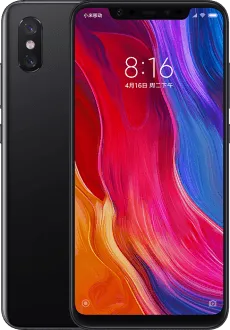
Device Photos

Changelog
See what's new in this version including bug fixes, improvements and new features...
Read MoreComplete Changelog
- System:
- Updated Android Security Patch to April 2020. Increased system security.
- App lock:
- New: App lock is supported for all apps now
- New: Revamped the start page and optimized some features
Downloads
OSV11.0.4.0.QEAMIXM
10.0
Recovery
1.9G
2026-04-05 02:48:21
V11.0.4.0.QEAMIXM
10
Fastboot