
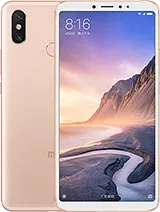
Xiaomi Mi Max 3 V12.0.1.0.QEDRUXM Russia Global V12.0.1.0.QEDRUXM (Specified)
Official Xiaomi Mi Max 3 HyperOS releases.
Xiaomi Mi Max 3 Details
CPU
Snapdragon 636
Update Version
V12.0.1.0.QEDRUXM
Android Version
10
OS Version
MIUI 12.0
Display Size
6.9"
EOL Status
1970-01-01
Installation Guide
To install this update, download the Recovery ROM from the above-provided link. After downloading, open the Updater Application on your Xiaomi Mi Max 3.
Read MoreComplete Installation Instructions
- Download the Recovery ROM from the above-provided link.
- Open the Updater Application on your Xiaomi Mi Max 3.
- Tap the three dots at the top-right corner and select 'Choose update package.'
- Go to the folder where you downloaded your ROM file and select it.
- It will start updating automatically; once it is done, your device will reboot into the new version.
Note:Some updates may not installed because they are released as beta versions.
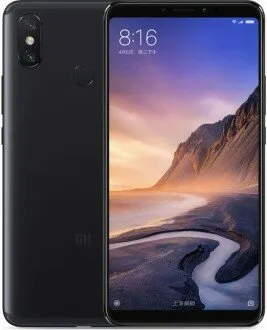
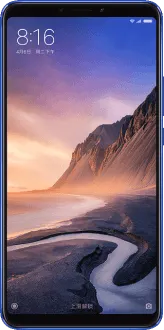
Device Photos
Changelog
See what's new in this version including bug fixes, improvements and new features...
Read MoreComplete Changelog
- Highlights:
- MIUI 12. Yours alone.
- System visuals:
- Brand new visual design works for all types of content and languages.
- Magazine-level layouts bring important things into the spotlight and make content structure clear.
- Privacy protection:
- New: Use secure sharing to control what additional data is sent along with shared items.
- New: MIUI 12 is the first Android-based mobile OS that went through the rigorous enhanced privacy protection testing.
- Floating windows:
- New: Floating windows keep apps running in the foreground even when you pause to do other things.
- New: You can minimize a floating window using a full screen gesture.
- New: You can open an app in a floating window directly from Recents.
- New: Pull down a notification sent by a messenger app to turn it into a floating window.
- Optimization: Press and hold an app preview in Recents to choose between Split screen and floating windows.
- Dark mode:
- New: Dark mode support is also provided for third party apps now.
- New: Contrast is lowered automatically in low light conditions to protect your eyes.
- New: Wallpapers can be displayed in darker palette when your device switches to Dark mode.
- Casting:
- New: You can hide private items while casting and minimize the window to multitask.
- System:
- Updated Android Security Patch to September 2020. Increased system security.
- Home screen:
- New: App drawer allows you to keep your Home screen neat and categorizes apps so you can find them faster.
- Weather:
- New: New animations bring the weather from outside directly to your screen.
- Settings:
- New: Security introduces new comprehensive privacy protection mechanisms.
- New: Lite mode simplifies your device and brings essential features up front.
- Notes:
- New: You can create folders with notes now.
- New: New dynamic backgrounds look gorgeous!
- New: Tasks are completed with a satisfying animation now.
- New: Checklists of subtasks make managing your agenda much simpler.
- Security:
- New: New animations feel natural and refreshing.
- New: Binging your favorite shows will be more convenient with our new video toolbox.
Downloads
OSV12.0.1.0.QEDRUXM
10.0
Recovery
1.9G
2026-04-08 03:45:36
V12.0.1.0.QEDRUXM
10
Fastboot
Magisk Patch
Magisk v30.6
Init Boot & Boot Images
Images
Image Details
Security Patch: 2020-08-01
Build: V12.0.1.0.QEDRUXM
Available Images:
- boot.img (33.87 MB)